
Ship safely at AI speed.
When multiple AI agents edit your codebase in parallel, coordination is the difference between shipping and silently breaking production. AgentCollision is the governance layer — one lightweight daemon that keeps every agent in sync, every edit safe, every merge clean.
brew install agentcollision && agc init
Your agents are racing. And you don’t know it.
Here’s what actually happens when parallel AI sessions edit the same codebase.
Chat B silently overwrites Chat A’s fix. No warning. You find out when CI goes red 40 minutes later.
Chat B is blocked until the lease releases. Both edits land cleanly. CI stays green.
Your agents, in sync.
AgentCollision sits between the tools you code with and everything they touch — so no two agents ever collide.
Secure · Transparent · Enterprise-ready — zero-knowledge, fully auditable, built to scale.
How teams use it
Individual developers
Install once. Every Claude Code, Cursor, Cline, Windsurf, Codex, or Gemini session on your machine gets automatic coordination. Free forever.
Install locally →Remote teams
Alice on her MacBook and Bob on his Linux box can coordinate across machines. The hosted coordinator tracks leases in real time.
Set up a team →Privacy-first
File paths are HMAC-hashed before leaving your machine. The coordinator never sees your code or directory structure.
How it works →Beyond blocking: agents coordinate on their own
A block stops the clash. But the two agents could just sort it out — reach out, agree who goes first, hand off the file. AgentCollision does exactly that, as far as you let it.
Autonomy level
A single setting — manual / assist / auto — decides how far agents coordinate without you. manual just blocks + records; assist lets them flag and propose; auto brokers idle leases end-to-end with no human.
Agents broker a handoff
When one chat is blocked on a file another holds, their daemons negotiate — and an active holder is always protected, never yanked mid-edit. Only a genuinely idle lease is released.
Learn more →Branch-level collisions
Two chats on the same git branch will diverge even if they never touch the same file. AgentCollision flags it at session start — advisory, so you know up front.
Learn more →The Protection page
One view of everything AgentCollision has governed: collisions prevented, conflicts caught, edits coordinated, and handoffs the daemons brokered without a human.
Learn more →The dashboard
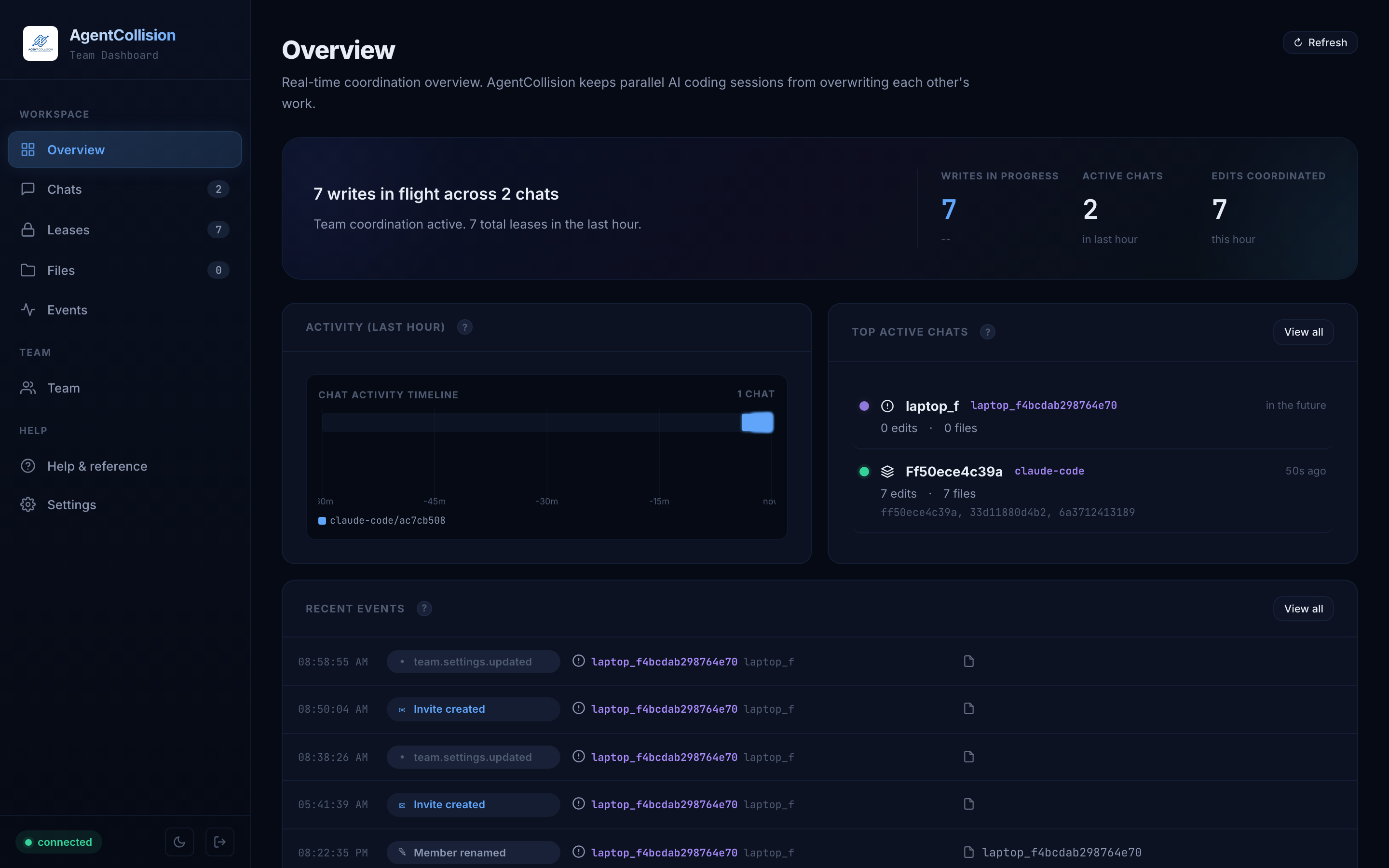
See every team member's active file edits, who's coordinating with whom, and catch conflicts before they happen.
Runs locally at localhost:7777 or hosted at dashboard.agentcollision.com.
Browse the docs
Quickstart
Sign up, install, and see it working in under two minutes.
CLI reference
Every ac command: leases, messaging, webhooks, menubar, presence, proxy.
FAQ
Common questions: pricing, privacy, tool compatibility, uninstall.
Team setup
Create a team, invite members, manage coordination policy.
Troubleshooting
Hook failures, daemon won't start, leases stuck in held state.